Which Layer Does Your Agent's Memory Belong In? Context Databases, Team Memory, and Traces-to-Skills Compared, with a Decision Framework (2026)
In the past two weeks several repositories have described themselves as agent memory. The READMEs of Tencent Cloud’s TencentDB Agent Memory and Volcengine’s OpenViking both carry a “#1 Repository Of The Day” badge from GitHub Trending, and coding-agent tools such as ai-memory, XERJ, and Graphify sit in the same space.[1][3][5][6][7] In the same week, Tencent Hunyuan released Hy-Memory-30B-A3B, a model whose only job is to write memory, and CopilotKit’s docs gained a flow that turns conversation threads into publishable Skills.[8][9]
Read them side by side and you find they are barely solving the same problem. Some manage what stays in the context window this step. Some remember a user across sessions. Some decide what a team of agents shares. Some turn past work into the method for next time. The word “memory” folds four jobs into one, and the most common selection mistake is using a tool built for one layer to treat a problem in another.
I hold three views, and the rest of the post unpacks them. First, find out which layer is failing before you pick a tool. Second, the write path (who decides what to store and how it is rewritten) matters more for quality than the storage format. Third, this batch of tools is converging on one pattern: files that people can read and edit are the source of truth, and the vector index is derived. I agree with that direction, but it surfaces a new problem. The memory store itself becomes a trust boundary.
Start with a map: four layers, four questions
Figure: the four layers of agent memory and representative approaches (examples from each project’s README and docs)[1][2][3][5][9][8]
These four layers are not my invention. They are the concepts that keep showing up across the READMEs, put next to each other. TencentDB runs separate mechanisms for short-term context and long-term memory, and lists Skill generation as its own layer. OpenViking puts knowledge, memory, and Skills in one filesystem under separate directories. ai-memory stresses carrying memory across agents, projects, machines, and teams. CopilotKit handles only the procedural part.[1][2][3][5][9]
The layers lean on each other, but their symptoms and fixes differ a lot. Here they are one at a time.
Layer one: in-task context, where the question is how much to keep, not how much to remember
A talk from IBM sorts the ways a context window goes bad into four failure modes, and I find it the most useful diagnostic so far.[10] Its example is an agent migrating a codebase to a new database driver. The system prompt and the task are a few lines. Behind them pile project instructions, tool definitions, an hour of action history, and the biggest block of all: tool results such as file contents, test output, and error logs.
Figure: the four failure modes, their fixes, and the memory mechanisms that implement those fixes (failures and fixes from the IBM talk, mechanisms from each project’s docs)[10][2][5][9]
The four modes are these. Poisoning: the agent misreads the driver docs and writes itself a note that the new driver retries failed connections automatically, so the old retry code can go. From then on it treats its own note as fact and deletes good retry code file after file. Distraction: the history grows so long that the model keeps continuing its own past actions. Confusion: too many tools, so it picks the wrong one. The talk cites a benchmark where a model failed a task with 46 tools and passed the same task with 19. Clash: later the agent notices the note was wrong and writes a correction, and now both versions sit in the window.[10] The fixes are validate, compact, curate, and prune. All four work by throwing something away.
TencentDB Agent Memory’s short-term memory is the most concrete answer to distraction I have seen. It offloads full tool logs to refs/*.md, keeps step-level summaries in a middle layer of jsonl, and condenses task state into a Mermaid graph with a node_id on each node. Only the graph stays in context. When the agent needs a detail, it greps for the node_id and gets the raw text back.[2] The README’s numbers come from long sessions of 50 consecutive tasks. WideSearch success goes from 33% to 50% while tokens drop from 221.31M to 85.64M. SWE-bench goes from 58.4% to 64.2% with about a third fewer tokens.[2] These are self-reported and cannot be compared with other projects’ numbers.
What I value more is the design stance: compression may be lossy, but it must stay traceable. That connects to JitMem, which this site covered earlier. JitMem argues that distilling trajectories into fixed reflections at write time loses information irreversibly, and that memory should be synthesized per task at read time. TencentDB’s compromise takes both sides. The upper layer shows the model a dense summary, and the lower layer keeps raw evidence on a deterministic path the agent can drill back down.[2] For clash, the site’s post on memory updates that don’t take effect describes a nastier version: the new value is right there in context and the model still picks the old one. Pruning therefore cannot mean appending a correction. The old entry has to come out, or be marked as void in a way the model cannot miss.
Layer two: personal long-term memory, where the write path sets the ceiling
Remembering a user across sessions is the kind of memory people know best. TencentDB’s long-term memory is a four-level pyramid: L0 raw conversation, L1 atomic facts, L2 scene blocks, and L3 a user persona. Day-to-day preferences come from the persona, and the system drills down to atoms only when details matter.[2] Low-level facts and logs go into a database for full-text search, and the upper personas and scenes are stored as readable Markdown. The README reports PersonaMem accuracy rising from 48% to 76%.[1]
OpenViking takes a similar line but puts the layers on directories. Each directory carries a one-sentence abstract (L0, with a default generation budget of 256 characters) and an overview (L1, 4,000 characters by default), and the full content (L2) loads only when needed.[3][4] One detail in its docs matters. Summaries are generated bottom-up, and when files change inside a large directory, the parent summary does not refresh at once. It accumulates a count of pending child changes and recomputes only when the ratio crosses a threshold (10% by default). Until then the summary stays readable but is known to lag behind.[4] That is the cost of layered memory: the layer the model reads first is the layer most likely to be stale. On LoCoMo, OpenViking reports that three agent integrations land at 80% to 83% accuracy, up from 24% to 57% with their native memory, while input tokens drop by 34.3% to 91.0%.[3] These are also self-reported, and the evaluation used Doubao models.
The most interesting evidence for this layer comes from a model release. Hy-Memory-30B-A3B is a writer model with about 3B active parameters. It replaces the general-purpose LLM inside memory frameworks such as Mem0 and MemOS that decides what to keep and how to rewrite it.[8] Its evaluation changes only the writer. Retrieval settings, the answer model, and the judge stay fixed. Averaged over six metrics on four frameworks, Hy-Memory scores 55.49, Claude Opus 5 scores 54.62, and Qwen3-30B-A3B scores 44.37.[8] Same framework, same retriever, a different writer, and the average moves by eleven points.
Those numbers make me surer of one thing. Discussions of memory systems spend most of their time on storage (vector store, graph, files), but the gap usually opens at the write step. Write the wrong thing and precise retrieval just returns the wrong thing faster. This is what IBM’s poisoning looks like in long-term memory: one bad write gets recalled as fact in every later session.[10] So for long-term memory I ask three questions first. What triggers a write? Is anything checked before writing? If a write is wrong, can you find the original conversation and fix it?
Layer three: project and team knowledge, where the source of truth is moving back to files
This is where the shift is most visible. Several projects have independently dropped the black box where text goes in, embeddings come out, and nobody can see what was stored. They use files that people can browse and edit instead.
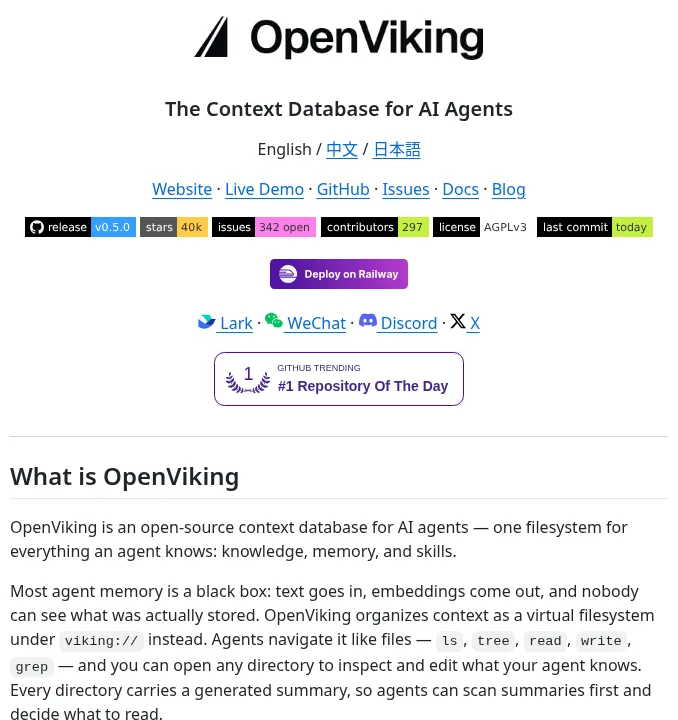
Screenshot: top of the OpenViking README, describing one viking:// filesystem for knowledge, memory, and Skills (GitHub, captured 2026-10-19)[3]
OpenViking organizes context as a virtual filesystem under viking://. resources/ holds docs and code, user/{user_id}/memories/ holds preferences and experience, and skills/ holds methods. Agents navigate with ls, tree, read, and grep, and semantic search can be scoped to one directory subtree instead of a flat vector pool.[3] When a session is committed, the conversation is archived and the extracted memories become Markdown you can open, edit, and merge.[3]
ai-memory goes further. Its source of truth is a git-backed Markdown wiki, the database is a derived index that can always be rebuilt from the files, and there is no vector store to maintain.[5] It targets a different pain. Claude Code and Cursor each keep their own notes, but the notes live on one machine, belong to one agent, and vanish when you switch tools or hand off to a teammate. ai-memory lets more than twenty harnesses feed one memory. Quit Claude Code mid-task, start Codex in the same directory, and the next agent gets a handoff that says where you stopped, what failed, and what is still open. Each handoff has an owner and is claimed exactly once.[5] Memory decays on a schedule per tier, and pages that get opened, searched, or linked decay more slowly. Cold episodic notes can be compacted down to durable facts such as file paths, error codes, and decisions. Near-duplicates collapse, likely contradictions get flagged, and none of this calls an LLM by default.[5]
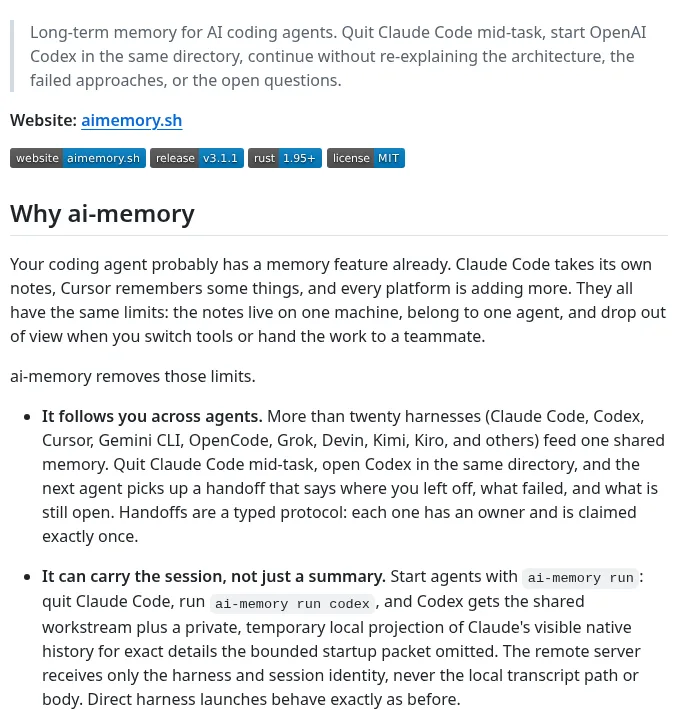
Screenshot: the “Why ai-memory” section of the ai-memory README, on cross-agent handoff and carrying the session (GitHub, captured 2026-10-19)[5]
TencentDB’s default branch has moved to a team edition, Memory Hub. It extracts Chat Memory and Skills from conversations and tasks, turns documents into a Wiki, and turns code into a CodeGraph. Assets have three visibility levels: private, team, and restricted. Personal Skills are private by default and are shared with the team only after review.[1] Integration is a proxy: point the agent’s base URL at it, with no plugin, hook, or MCP server required.[1]
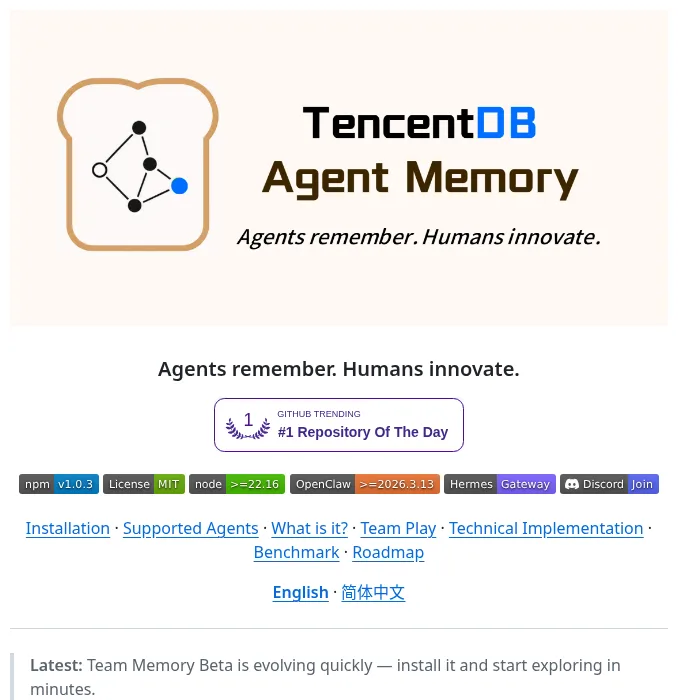
Screenshot: the default-branch README of TencentDB Agent Memory, marked Team Memory Beta (GitHub, captured 2026-10-19)[1]
On the codebase side, XERJ and Graphify are two indexing approaches. XERJ is a local search engine. One command indexes a folder, and a query returns passages with file:line instead of whole files. Its controlled study used 8 tasks, 4 languages, and 16 runs per arm. Output tokens fell from 26,477 for a grep-driven agent to 9,982 with XERJ, both solving 16 of 16, while working from model memory alone solved 11 of 16.[6] The README says plainly that the benefit depends on whether the model already memorized the code. Private, niche, or post-cutoff code gains the most, and popular public libraries the model knows well can come out neutral or worse.[6] Graphify turns a folder into a knowledge graph and claims 71.5 times fewer tokens per query than reading the raw files.[7] Strictly speaking, both are retrieval, not memory. But the read half of team knowledge depends on them heavily.
Layer four: procedural memory, where review and versioning are the point
The last layer turns what was done into how to do it next time. CopilotKit’s approach looks like a software release. Automatic learning collects conversation threads, runs daily, and produces Skills for review, which you then publish to a Learning container. On the agent side, an adapter adds an alphabetical Skill catalog and two read-only tools, and the model decides when to load a Skill.[9] A few design choices are worth copying. You can pin an exact revision or follow the latest. Once the adapter receives a revocation, new invocations cannot use that revision. Skills cannot override the agent’s role, safety rules, tool restrictions, or application policy. The adapter never executes scripts from a Skill and never writes Skill files to disk.[9]
TencentDB’s Skill library has the same idea. A Skill is more than a prompt snippet. It has versions, resource files, trigger boundaries, execution steps, and validation rules.[1] This site’s Agent Skills 2026 lifecycle map covers a Skill from authoring to retirement. What this adds is the origin: more and more Skills are distilled from trajectories instead of written by people. That moves review from nice-to-have to required. A Skill distilled from a run that succeeded by luck freezes the lucky part too, and every agent then reuses it.
A cut across every layer: the memory store is a trust boundary
As I read these READMEs, I paid most attention to how they treat security, because a memory store’s risks differ from an ordinary cache.
XERJ is blunt about it. --insecure turns off TLS and API-key auth, so every caller that can reach the port is a superuser who can read and delete every index, including every /_memory namespace. A fresh node therefore binds only 127.0.0.1, and a cleartext bind on any other interface refuses to start unless you explicitly allow it.[6] OpenViking requires a user key to read or write memories, and a root key cannot read or write them at all.[3] ai-memory sanitizes what its hooks capture at a typed privacy boundary before anything is stored, and on a shared server the cross-project personal profile is opt-in and private per person.[5] TencentDB’s team edition takes over the agent’s base URL through a proxy, which means the proxy sees all of the agent’s traffic.[1]
My view: as soon as memory is written automatically, it becomes a channel that turns a one-off prompt injection into persistent state. A session reads a malicious web page, the content lands in long-term memory, and every later session recalls it as fact. That is IBM’s poisoning with an outside source.[10] So “who can write, what is sanitized before writing, and how do you roll back” belongs in the same comparison table as retrieval quality. Files as the source of truth have a real advantage here: git history is the audit log. In ai-memory nothing is hard-deleted, and old versions stay in git and the version chain where they can be restored.[5]
Common pitfalls
The docs of these projects are full of boundary conditions. Here are the ones that change a selection decision.
Summary layers go stale, and the model reads them first. As covered above, OpenViking refreshes upper summaries on a threshold.[4] TencentDB’s persona layer is aggregated from atomic facts.[2] For any layered design, ask how long the upper layer takes to catch up after the lower layer changes, and whether the model will act on an old persona in the meantime. I keep a direct path to the lower layer, with no aggregation, for critical facts such as “don’t touch the old auth module, mobile still uses it.”
Cached Skills can stay old indefinitely. After its first successful load, a CopilotKit adapter that hits a network failure, a timeout, or an unavailable server keeps the previous snapshot and marks it stale, and there is no maximum stale age. A network-isolated process can keep its last good snapshot until a restart clears it.[9] That trade-off favors availability and is reasonable, but you need to watch the stale status in monitoring. Otherwise a Skill you already fixed on the server keeps running on some machine for a long time.[9]
Turning on team sharing too early. Personal memory is full of habits and provisional judgments that hold for one person. TencentDB keeps personal Skills private until reviewed, and ai-memory keeps handoffs personal while sharing project knowledge. Both are dealing with this.[1][5] If your setup has no such split, do not connect it to a team server yet.
Comparing other projects’ benchmark numbers across rows. PersonaMem, LoCoMo, WideSearch, tau2-bench, and a project’s own coding tasks measure entirely different things, with different answer models and judges.[1][2][3][6][8] What you can use is each project’s own on-versus-off difference, plus controlled comparisons like Hy-Memory’s, where one component changes and everything else stays fixed. If you need to choose, run that kind of fixed comparison on your own tasks.
Assuming installed means used. CopilotKit’s docs point out that the model decides whether to call the Skill tools, so a run without a Skill call does not prove delivery failed, and a successful initialization does not prove the container holds any Skill.[9] Memory tools share this problem. If the model never reads what was stored, the effect is zero. After rollout, look at tool-call logs before you look at how many entries were stored.
Comparison table
| Project | Main layer | Source of truth | How it writes | Sharing | Self-reported evidence |
|---|---|---|---|---|---|
| TencentDB Agent Memory | ①②③④ | Database below, Markdown above | Automatic capture, extraction, aggregation; Skills shared after review | private, team, restricted | PersonaMem 48%→76%; long-session WideSearch 33%→50%[1][2] |
| OpenViking | ②③ | viking:// filesystem | Memories extracted to Markdown on session commit | Per-user directories | LoCoMo 80%–83% (native 24%–57%)[3] |
| ai-memory | ②③ | Git-backed Markdown wiki | Silent capture through hooks, zero LLM calls by default | Shared per project, handoffs personal | No benchmark numbers[5] |
| CopilotKit learned Skills | ④ | Published Skill revisions | Threads → daily runs → review → publish | Per container, revision pins | No benchmark numbers[9] |
| XERJ | ③ (retrieval) | Local index | One command auto-indexes a folder | Mostly single machine | Output tokens 26,477→9,982, both 16/16[6] |
| Graphify | ③ (retrieval) | graph.json and wiki | Reads files, extracts concepts and relations | Files | 71.5x fewer tokens per query[7] |
| Hy-Memory-30B-A3B | ② (writer model) | Not applicable | Replaces the writer LLM in a framework | Not applicable | Four-framework average 55.49[8] |
The numbers come from each project’s own README or model card, with different benchmarks, models, and settings. Read each row’s before-and-after difference. Do not compare across rows.
Decision framework: choose by symptom, not by name
Here is the material above as a sequence of questions:
- Does the agent start repeating itself, drifting, or picking the wrong tool in the second half of a long task? That is layer one. Curate first (fewer tools) and compact (offload logs, keep a summary in the window, drill back by id). You do not need long-term memory for this.[10][2]
- Does the user re-introduce themselves and the project in every new session? That is layer two. Prefer a transparent write path: you can see what was written, and you can find the original conversation to fix a bad write. If you already run a framework such as Mem0 or MemOS, a better writer model may pay off more than new storage.[8]
- Does context break when you switch tools, switch machines, or hand off to a teammate? That is layer three. Choose files as the source of truth and support for several harnesses. Get it working for one person before sharing it with a team, and set visibility and review rules before sharing starts.[5][3][1]
- Does the agent rediscover the same debugging steps or release checklist every time? That is layer four. Distilling trajectories into Skills is fine, but require human review, versions, and revocation, and make sure Skills cannot override safety rules.[9][1]
- Is the codebase so large that the agent burns tokens on grep and whole-file reads? That is a retrieval problem, so add an index first. If the code is a popular public library the model already knows, test on a small scope first, because the gain may be small.[6][7]
- For any layer that writes automatically, answer three questions first: who can write, what gets sanitized before writing, and how you roll back. If you cannot answer them, do not turn on automatic writes.
To try this on a coding-agent project, I would plan two weeks like this:
- Week one touches only layer one. Pick a long task that often drifts in its second half and record a baseline: pass or fail, total tokens, and how many times the agent repeated the same action. Then do two things only. Cut the tool list down to what this task needs, and offload large tool outputs to files so the window holds only summaries and paths. Run the same task set again and compare.
- Week two adds one more layer, and only one. If users keep re-explaining the project, add layer two. If handoffs break between people or tools, add layer three. Before you turn it on, write down who can write, what is sanitized, and how to roll back. Spot-check the new entries once a day for wrong conclusions written as facts.
- At the end of the two weeks, look at three numbers: success rate on the same task set, tokens, and the share of new entries that needed a human correction. If the third number does not come down, the write path is the problem, and changing storage will not fix it.
One last preference of mine. If I could start with only one layer, I would start with layer one. It needs no new service, it does not touch user privacy, and its fixes all throw something away, so failure is cheap. And if layer one is broken, adding long-term memory to the window only makes distraction and clash worse. The site’s earlier post Grow the harness, not the context points the same way: capability should grow in the structure of the harness, not by adding ever more to the context.
References
- TencentCloud, TencentDB Agent Memory, default-branch README (team edition, Memory Hub): https://github.com/TencentCloud/TencentDB-Agent-Memory ↩
- TencentCloud, TencentDB Agent Memory, main-branch README (plugin edition: symbolic short-term memory and layered long-term memory): https://github.com/TencentCloud/TencentDB-Agent-Memory/blob/main/README.md ↩
- volcengine, OpenViking README: https://github.com/volcengine/OpenViking ↩
- OpenViking docs, Context layers: https://docs.openviking.ai/en/concepts/03-context-layers ↩
- akitaonrails, ai-memory README: https://github.com/akitaonrails/ai-memory ↩
- xerj-org, XERJ README: https://github.com/xerj-org/xerj ↩
- Graphify-Labs, graphify README: https://github.com/Graphify-Labs/graphify ↩
- Tencent Hunyuan, Hy-Memory-30B-A3B model card (Hugging Face): https://huggingface.co/tencent/Hy-Memory-30B-A3B ↩
- CopilotKit docs, Skill delivery: https://docs.copilotkit.ai/intelligence/learned-skills ↩
- IBM Technology, “Context Engineering for AI Agents: 4 Failure Modes to Avoid” (YouTube): https://www.youtube.com/watch?v=BwXremQ-i6I ↩